
Getting Started with Baley API
This page will help you get started with Axle API for Baley Agent.
Step 1: Obtain API Key
Please obtain an API key and set it in the X-API-Key header.
Go to the Settings menu, and navigate to the API KEYS tab, and click on the "Generate Key" Button.
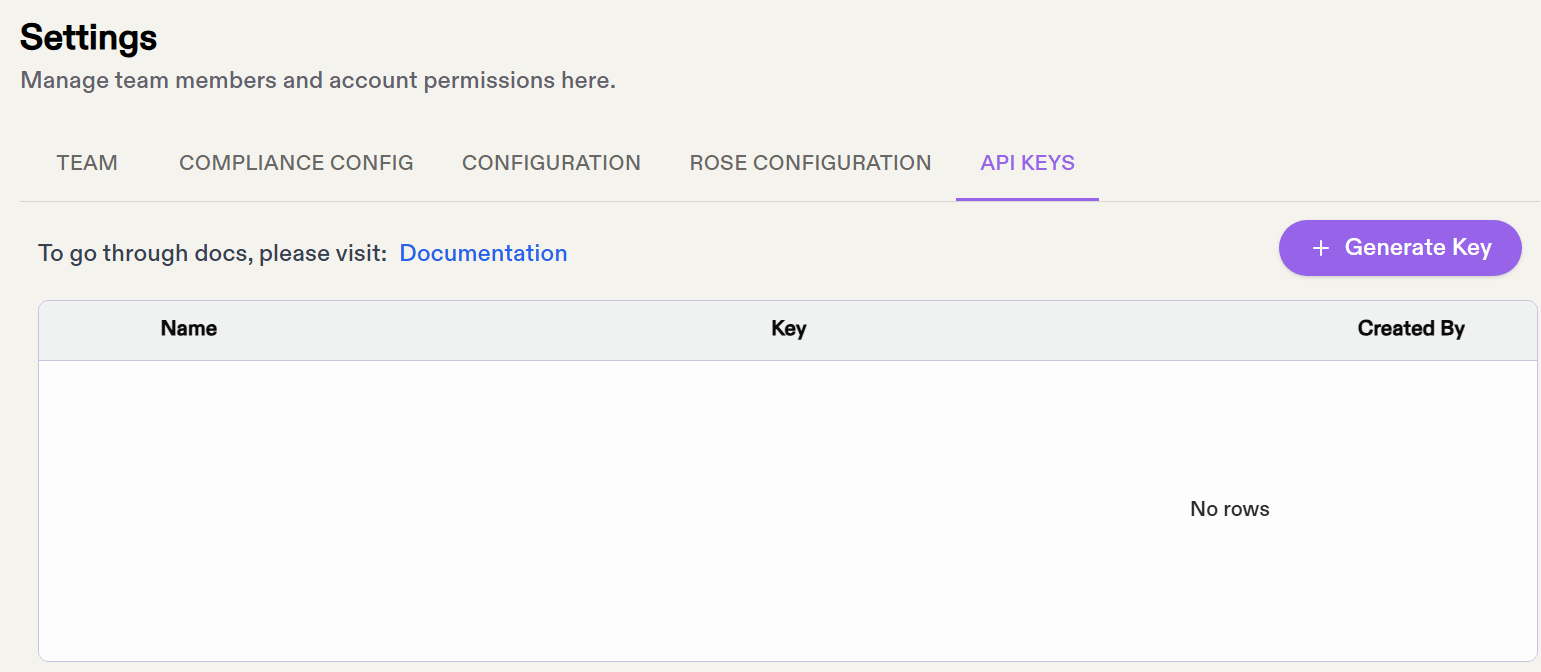
Step 2: Configure Compliance Provider
Go to the Settings menu, and navigate to the COMPLIANCE CONFIG tab, and click on the "Add" button. Fill in the approapriate details for your compliance data source (LexisNexis, ComplyAdvantage, etc).
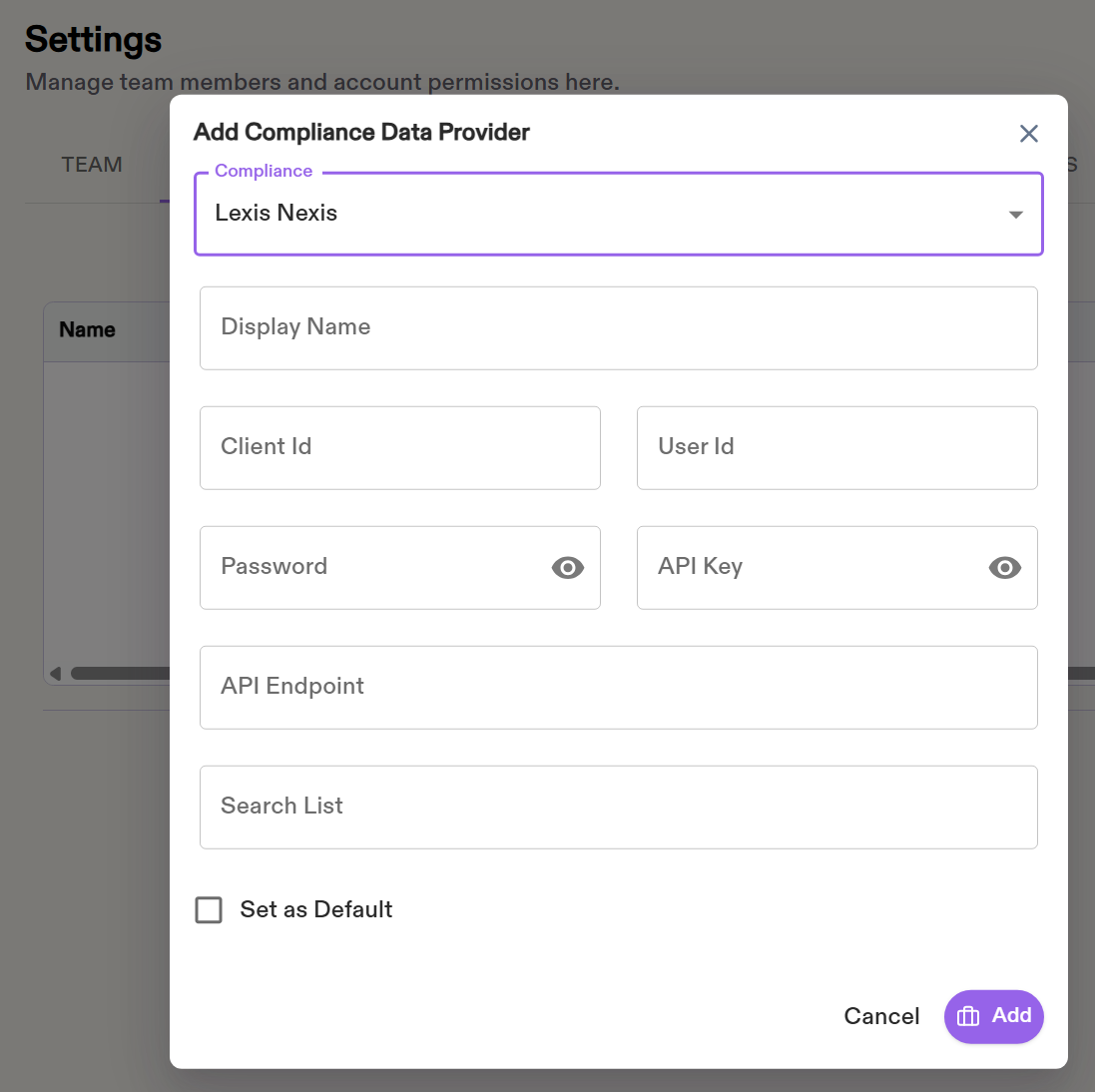
Step 3: Create a Batch of Investigations
Use the individual batch API or business batch API to create a batch of alerts to be processed. The request should include a list of vendor alert IDs to be processed. In the response, the corresponding Axle investigation ID will be return for each vendor alert ID.
Step 4: Store ID Mapping (optional)
This step is optional. You can store the mapping of Axle investigation ID returned from Step 3 to the vendor alert ID for reference purpose.
Step 5: Register Webhook
To receive notification on completion processing of the investigation on a alert, follow this document to register a webhook, which will be called for each investigation that has finished processing.
Step 6: Retrieve Investigation Results
There are two ways to receive results of an investigation:
- Use the get investigation details API to poll for results for each investigation submitted in the batch. Results are returned if the investigation has been fully procesed.
- After receiving webhook invocation, call the get investigation details API to get the results for that specific investigation.
Step 7: Override AI Decision
It's recommend to give feedback to our AI agent, so that it can continuously improve its model. For a given investigation, use override entity status API to override the AI decisions of select entities.
Updated 12 months ago